The 8 Best Flashcard Apps in 2026 (Compared)
- flashcards
- spaced repetition
- study apps
- comparison
- 2026
The best flashcard app in 2026 mostly depends on one question: who writes the cards? If you want them created for you from your classes, Hekko. If you write them yourself and want the most powerful spaced repetition, Anki, free on desktop and Android. To find ready-made cards, Quizlet or Knowt. To write your cards directly inside your notes, RemNote. And for simple spaced repetition, Brainscape or Mochi.
Full disclosure: Hekko is our product. That's exactly why every price below comes from each tool's own pricing page, and why every app, Hekko included, gets its limitations listed.
Method and transparency
- Who writes this: Elian Tornikoski, founder of Hekko. Hekko is our product: it is ranked in the list, and its weak points are spelled out like everyone else's.
- No affiliation: no link on this page is an affiliate link, no tool mentioned pays us, and we earn no commission whichever tool you choose.
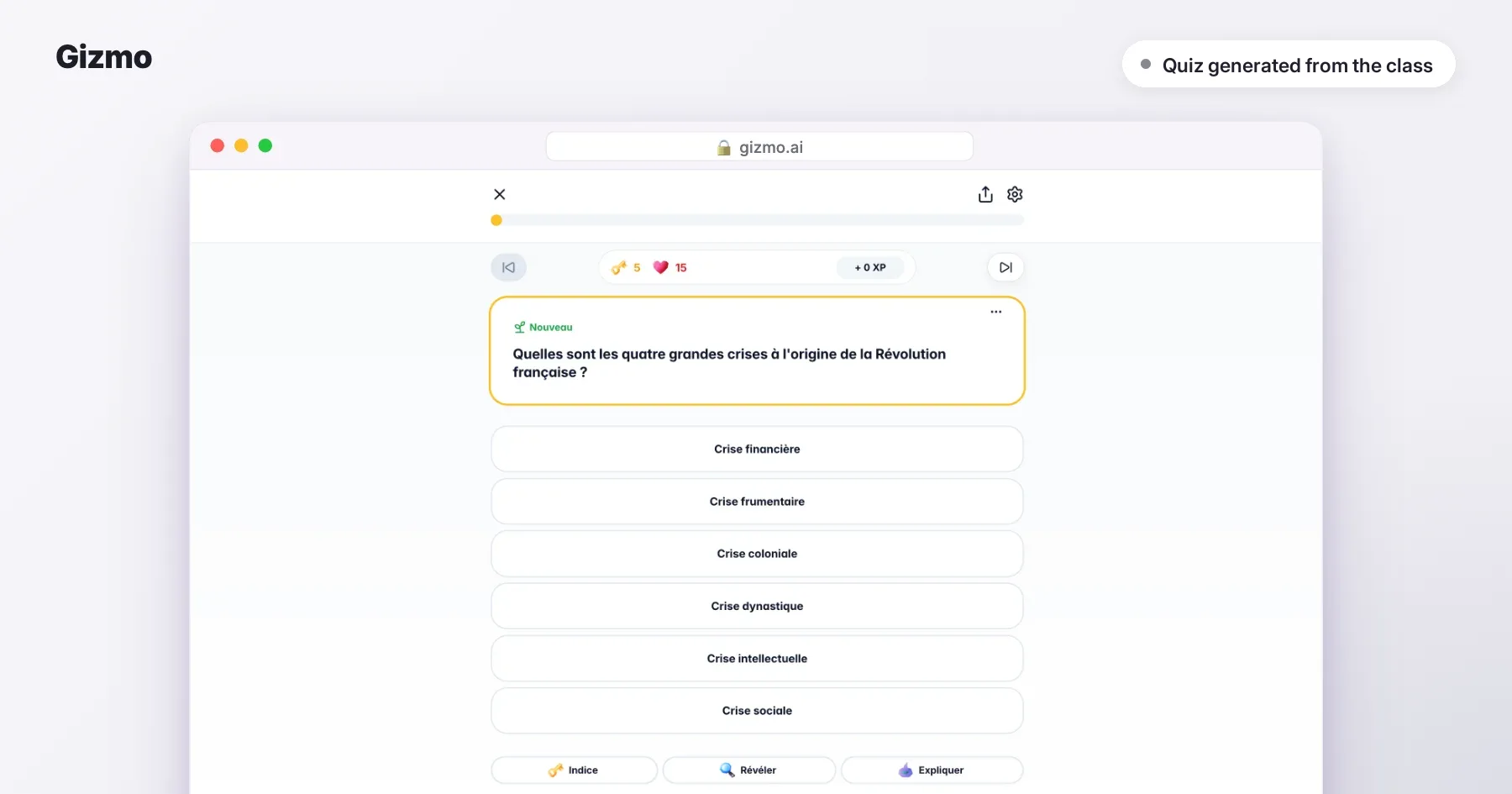
- How we compared: each tool's public features and official pricing page, checked on 21 September 2026. On 3 October 2026 we gave the same class, a French-language history lesson on the French Revolution, to Hekko, Quizlet, RemNote, Mochi and Gizmo: their screenshots come from that test, untouched. Brainscape was tested on one of its sample decks. For the other tools, the visuals come from their official App Store listing and are labelled as such.
- Spotted a mistake? If a price or a feature has changed, write to us and the article gets updated.
TL;DR
The honest answer for 2026: making good cards takes time, and that's where most students give up. If that's you, let an app create them from your classes (Hekko). If you enjoy making your cards and have thousands to learn, nothing beats Anki.
- Best for creating flashcards from your classes: Hekko
- Best spaced repetition: Anki
- Biggest card library: Quizlet
- Best free Quizlet-style app: Knowt
- Best for writing cards inside your notes: RemNote
- Easiest for beginners: Brainscape
- Best lightweight, offline app: Mochi
- Most fun: Gizmo
Comparison table
| App | Best for | Free tier | Paid from | Standout | Main limitation |
|---|---|---|---|---|---|
| Hekko | Flashcards generated from your classes | 2 full courses a month, unlimited flashcards | $7.99/month billed yearly ($95.88), or $13.99/month | Up to 50 editable cards per course | No card-by-card spaced repetition, no Anki export |
| Anki | Memorizing thousands of cards | Free on desktop and Android | AnkiMobile (iOS) $24.99 one-time | Most advanced algorithm | Everything is done by hand |
| Quizlet | Ready-made cards | Unlimited flashcards | Plus $35.99/year, or $7.99/month | Millions of shared sets | Limited study modes |
| Knowt | Quizlet for free | Unlimited cards, modes and spaced repetition | Ultra $149.99/year, or $24.99/month | Very generous free tier | Ads on the free plan |
| RemNote | Cards written inside your notes | Unlimited notes and cards | Pro $8/month billed yearly | A line of notes becomes a card | Steep learning curve |
| Brainscape | Getting started with spaced repetition | Unlimited cards and spaced repetition | Pro $7.99/month | Very simple: you rate your confidence | Images and private cards on Pro |
| Mochi | Markdown cards, offline | Unlimited offline, no account | Pro $5/month billed yearly ($60) | Lightweight, fast, respects your privacy | Sync is paid |
| Gizmo | Studying by playing | Unlimited, with lives | Price shown in the app | Imports Quizlet and Anki | Forced breaks after losing 15 lives |
Prices checked on each tool's own pricing page on 21 September 2026, in US dollars, list prices before promotions. Prices change: check before you pay.
What makes a good flashcard app?
A good flashcard app does two things: it helps you get good cards, and it shows them to you at the right time. Spaced repetition, which shows you a card just before you forget it, is what separates flashcards that work from a deck you flip through on a loop (see studying with flashcards).
To compare, look at:
- Creation: by hand, imported, or generated from your classes?
- Card quality: one idea per card, a precise question?
- Scheduling: card-by-card spaced repetition, or review by deck?
- Devices: is the app on your phone, for free?
The 8 apps, one by one
1. Hekko: best for creating flashcards from your classes
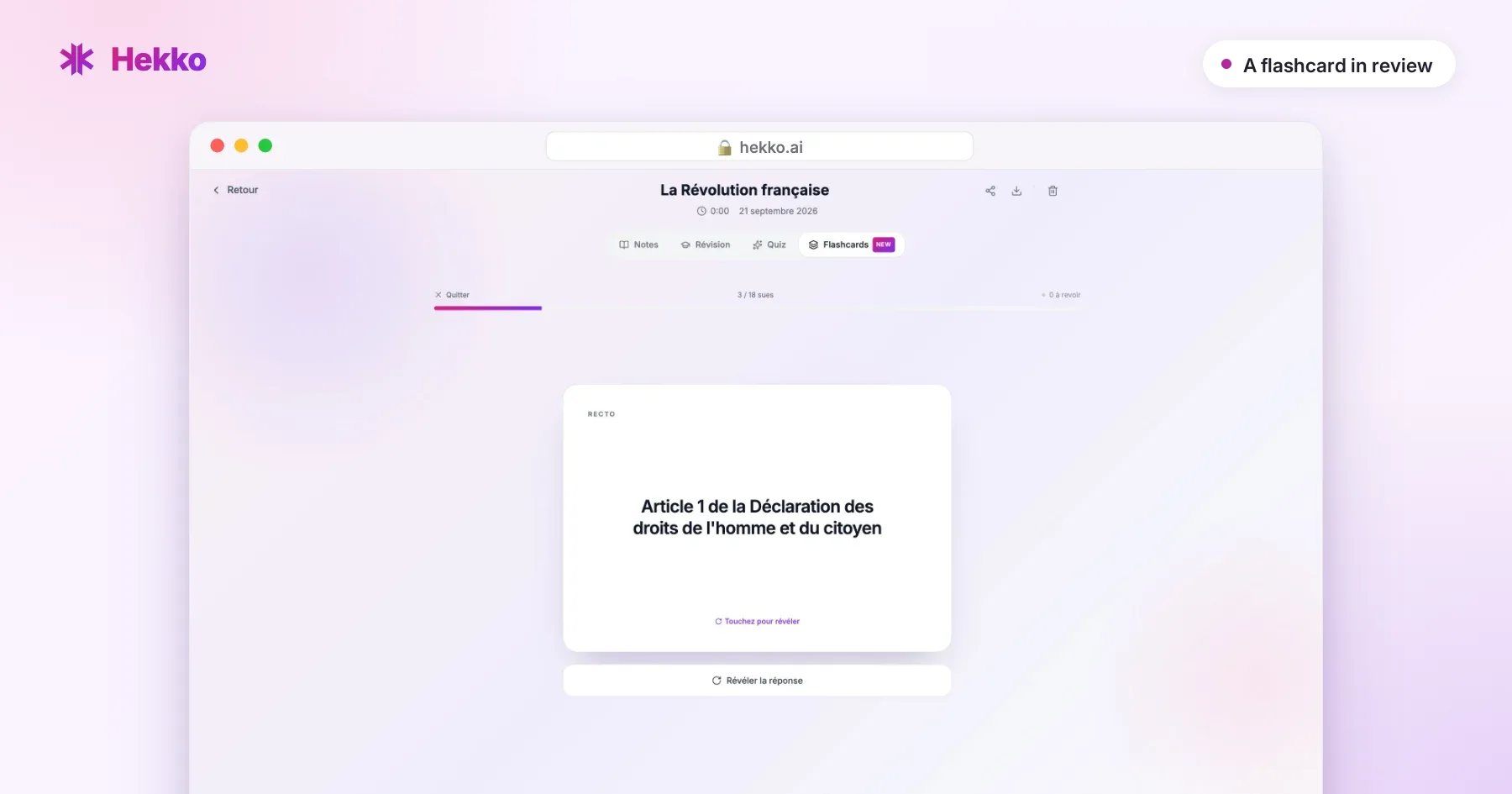
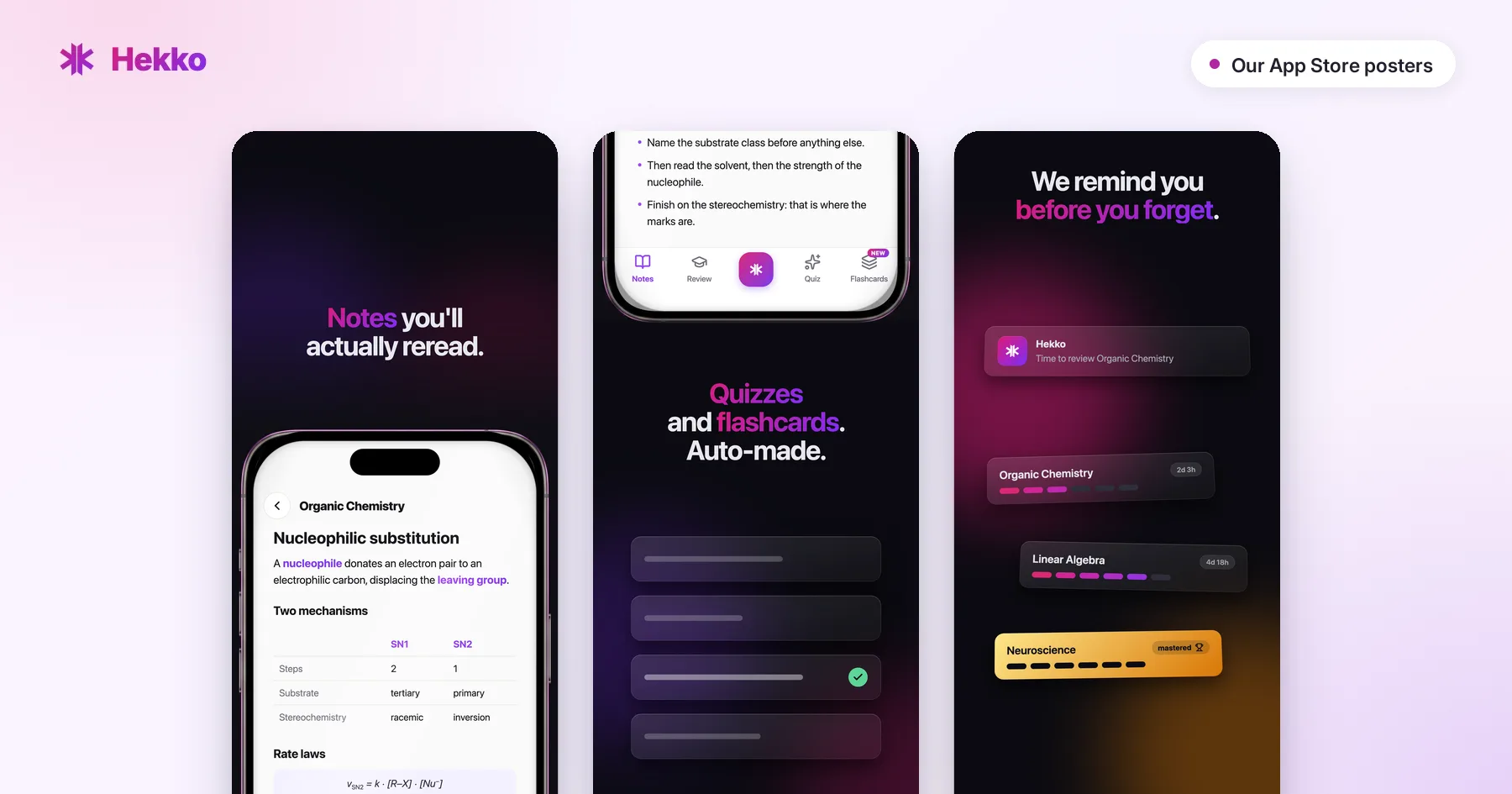
Hekko removes the step everyone puts off: writing the cards. You record your lecture or import your documents (PDFs, slides, photos), and Hekko generates up to 50 two-sided flashcards, in the language of your choice. You can edit them, delete some or add your own. The same courses also give you notes, a cheat sheet and quizzes, and the "Review" session brings each course back after 1, 3, 7, 16 and then 35 days. Web, iOS and Android. Everything starts from the notes taken during the class: the lecture note-taking page shows what they look like on a real excerpt.
Pros
- ✓ Cards are created from what your professor said
- ✓ Editable, and you can add your own
- ✓ Notes, cheat sheet and quizzes on the same course
- ✓ Unlimited flashcards and quizzes on 2 full courses a month, free and no card required
Cons
- ✗ Spaced repetition applies to the whole course, not card by card like Anki
- ✗ No export to Anki or Quizlet
- Free tier: 2 full courses a month, no card required, with unlimited flashcards and quizzes.
- Price: $7.99/month billed yearly ($95.88), or $13.99/month.
- Verdict: the best pick if you never have time to make your cards.
2. Anki: best spaced repetition
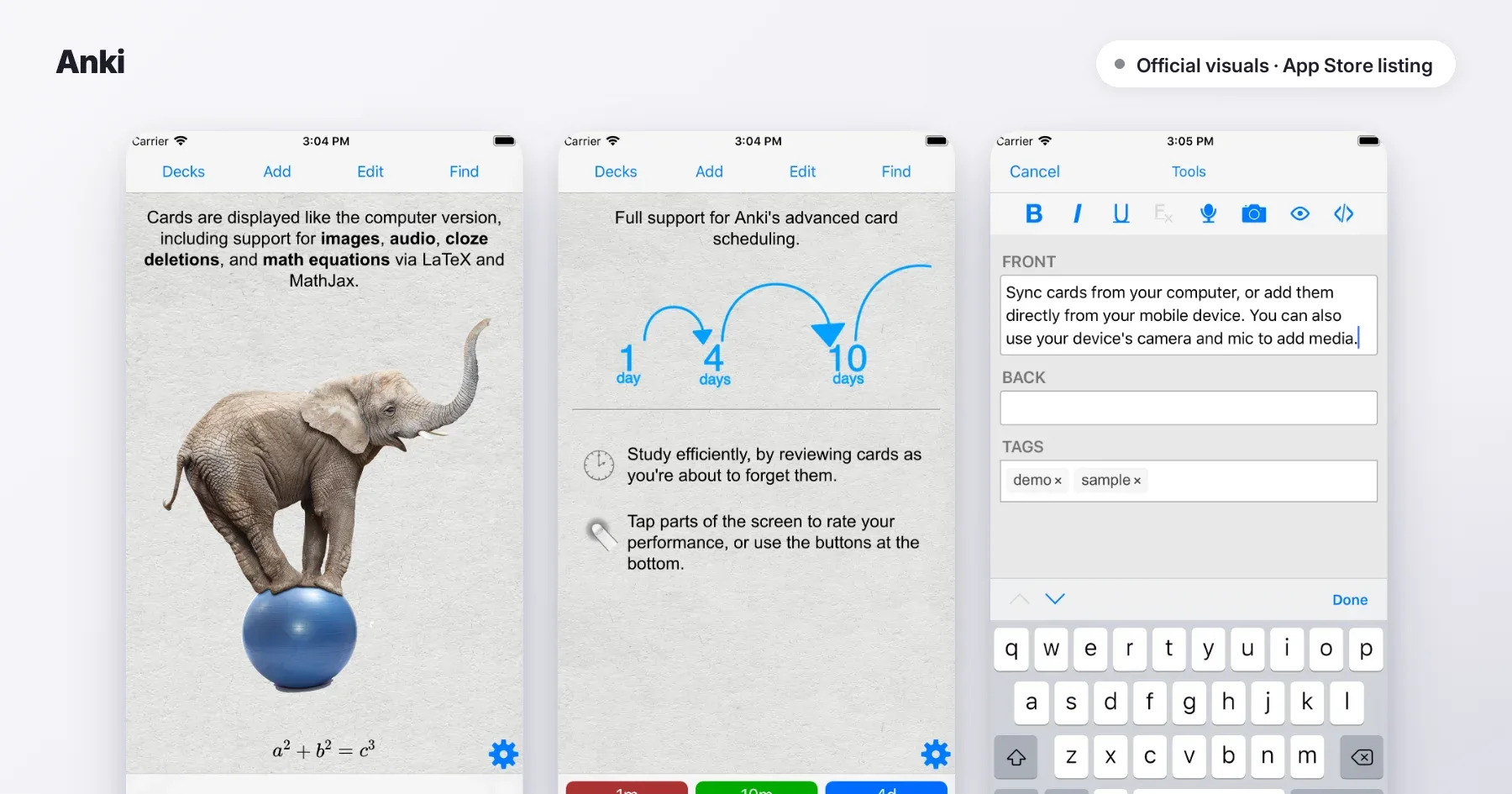
Anki is the reference for medical and language students: open source, free on desktop and Android, with the most advanced spaced-repetition algorithm and thousands of shared decks.
Pros
- ✓ Card-by-card spaced repetition, highly adjustable
- ✓ Free on Windows, Mac, Linux and Android
- ✓ Plenty of add-ons and shared decks
Cons
- ✗ Making your cards takes a lot of time
- ✗ AnkiMobile costs $24.99 on iPhone
- Free tier: complete, except on iOS.
- Price: AnkiMobile $24.99, one-time purchase.
- Verdict: unbeatable for volume, if you're willing to make your cards.
3. Quizlet: biggest card library
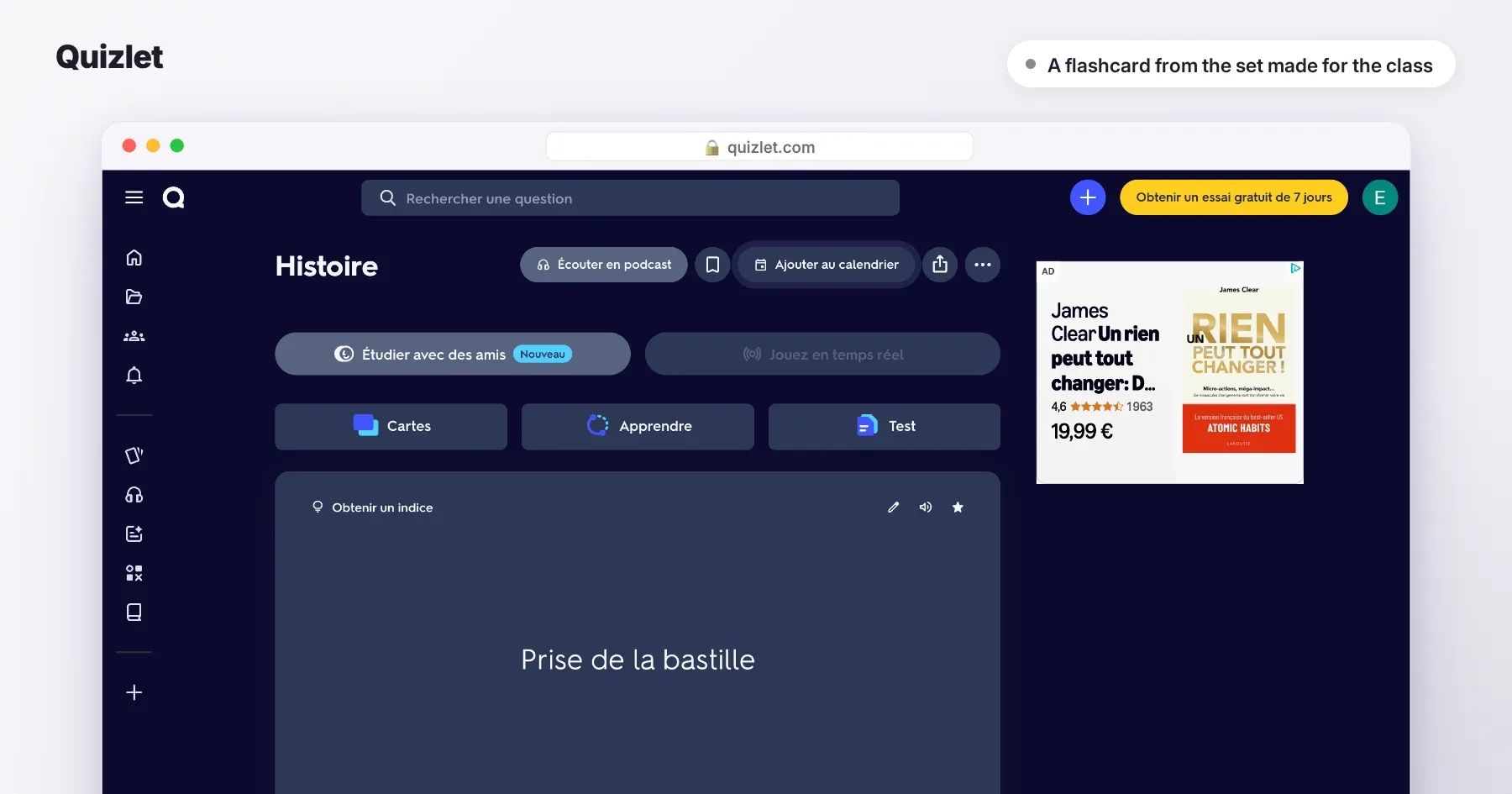
Quizlet is the go-to for millions of students looking for ready-made cards, with Learn mode, Test mode and games.
Pros
- ✓ Millions of shared flashcard sets
- ✓ Very easy to pick up
Cons
- ✗ Learn and Test modes limited on the free plan
- ✗ Cards of uneven quality
- Free tier: unlimited flashcards.
- Price: Plus $35.99/year or $7.99/month.
- Verdict: perfect for subjects everyone studies.
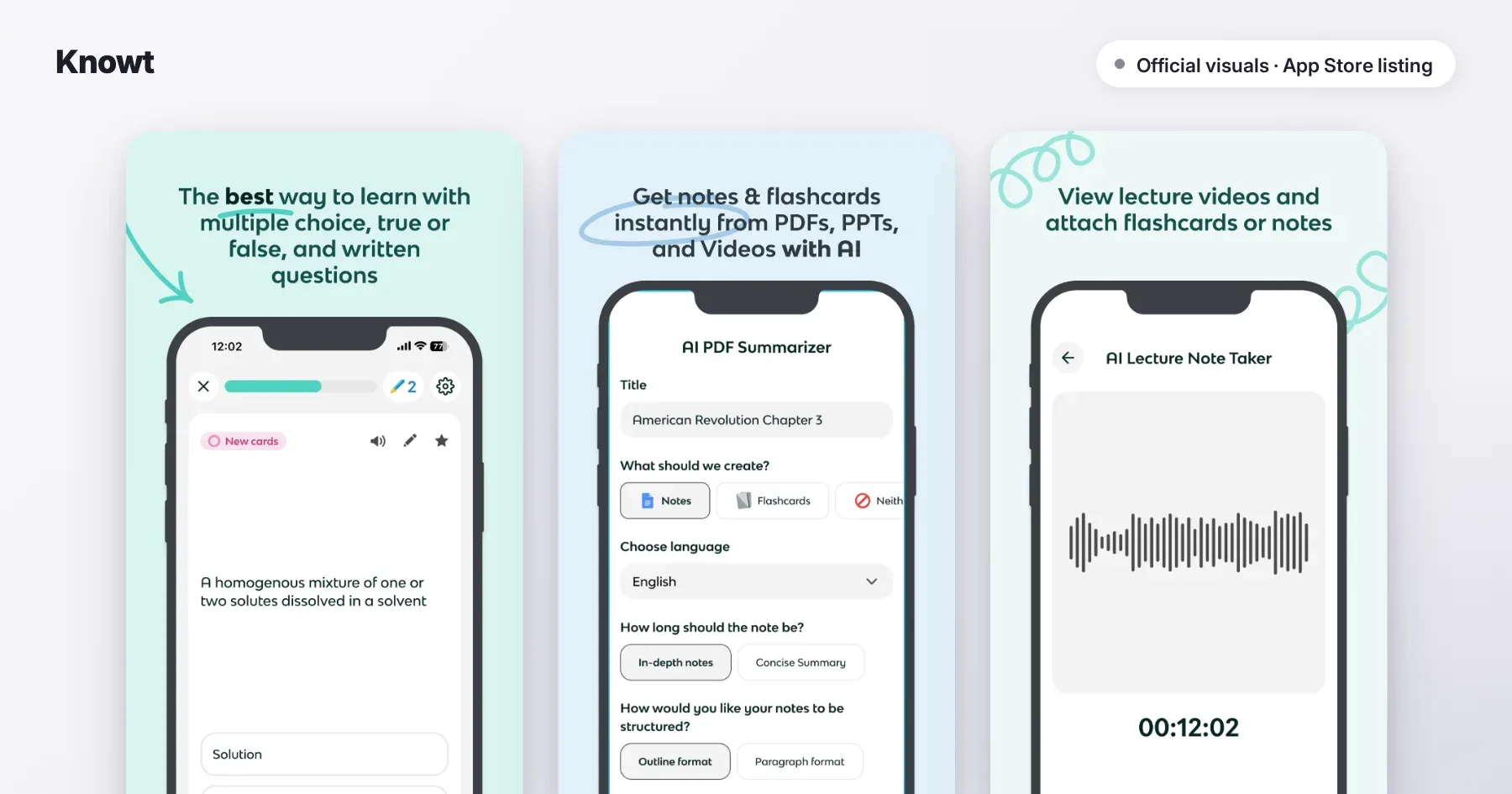
4. Knowt: best free Quizlet-style app
Knowt offers Learn mode, tests and spaced repetition for free, with a huge shared library.
Pros
- ✓ Unlimited study modes on the free plan
- ✓ Spaced repetition included
Cons
- ✗ Ads on the free plan
- ✗ Advanced AI features on Ultra ($24.99/month)
- Free tier: very generous.
- Price: Ultra $149.99/year or $24.99/month.
- Verdict: all of Quizlet, without paying.
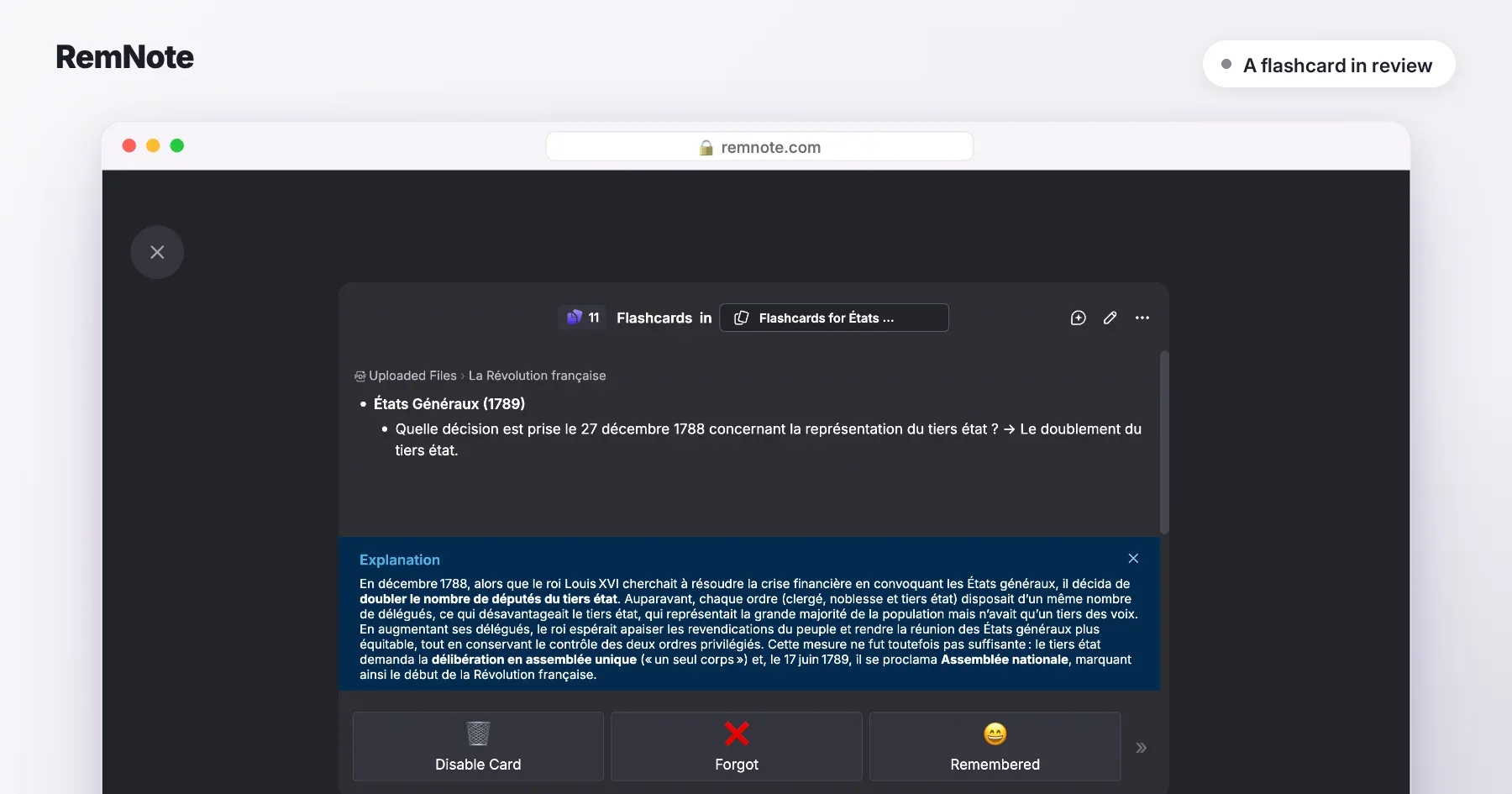
5. RemNote: best for writing cards inside your notes
RemNote lets you create a card by typing a line of notes with a separator. Your notes and flashcards stay linked, and everything is scheduled with spaced repetition.
Pros
- ✓ No typing things twice between notes and cards
- ✓ Spaced repetition even on the free plan
Cons
- ✗ Takes a few days to learn
- ✗ Full AI generation at $18/month
- Free tier: unlimited notes and cards, 250 AI credits a month.
- Price: Pro $8/month, Pro with AI $18/month (billed yearly).
- Verdict: the best compromise if you take your notes on a keyboard.
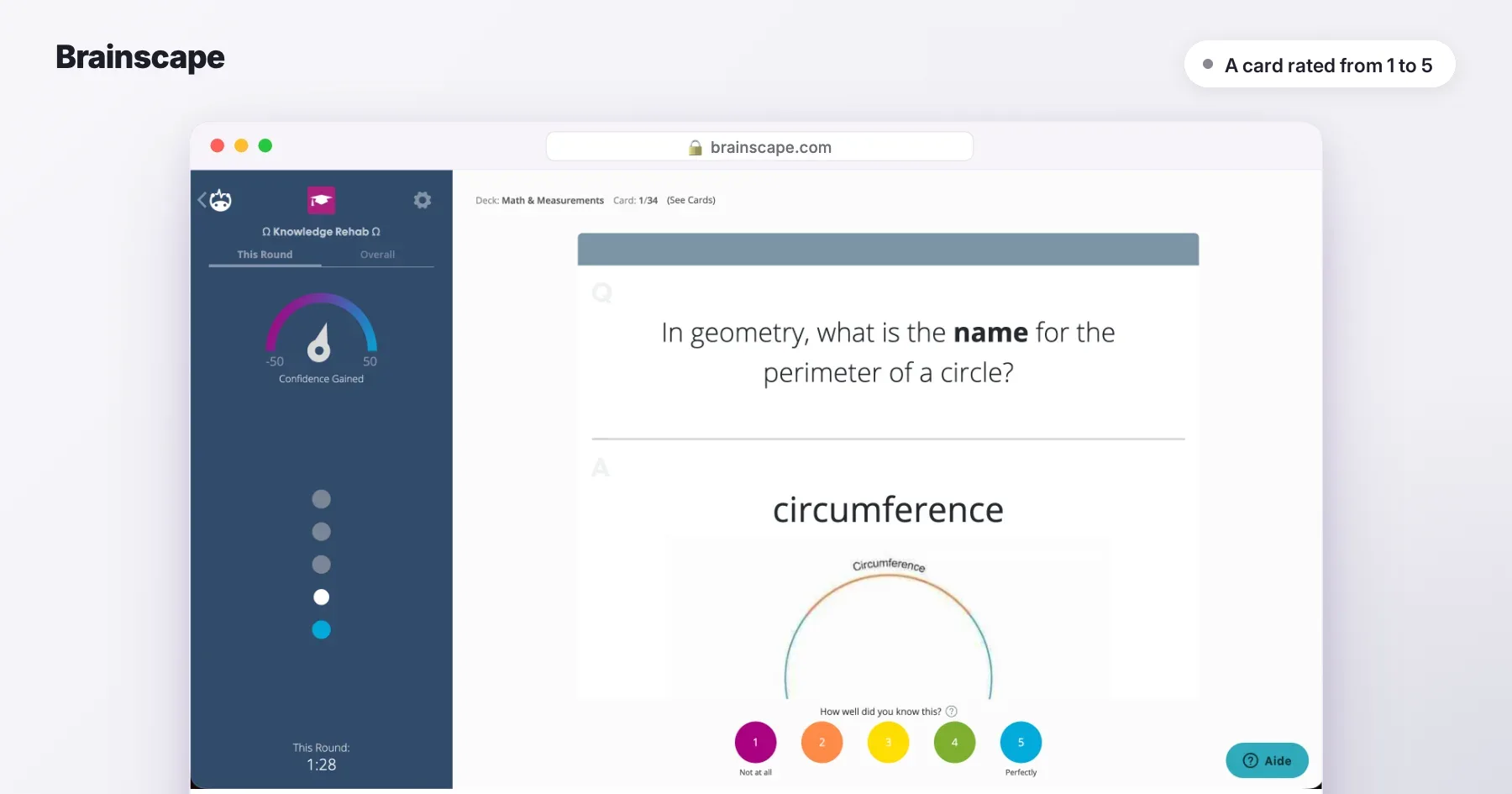
6. Brainscape: easiest for beginners
Brainscape has you rate your confidence from 1 to 5 on each card and takes care of the rest. Spaced repetition is free.
Pros
- ✓ The concept makes sense in a minute
- ✓ AI card generation
Cons
- ✗ Images, audio and reversed cards are Pro-only
- ✗ AI generation capped on the free plan
- Free tier: unlimited cards and spaced repetition.
- Price: Pro $7.99/month.
- Verdict: the ideal entry point before Anki.
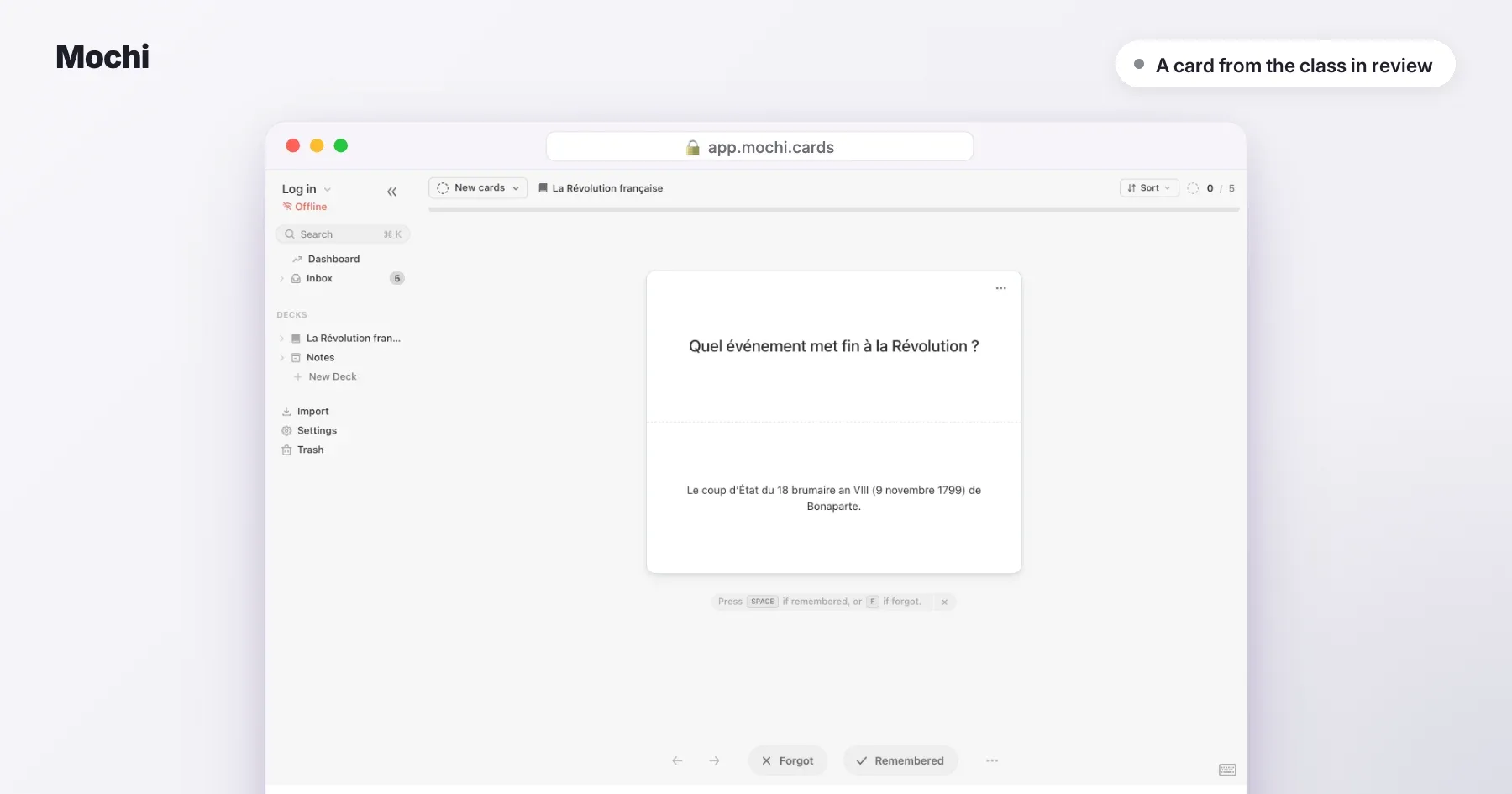
7. Mochi: best lightweight, offline app
Mochi combines Markdown notes and spaced-repetition flashcards, and works offline with no account.
Pros
- ✓ Fast, clean, offline
- ✓ Free import and export
Cons
- ✗ Sync across devices is paid
- ✗ Very limited AI
- Free tier: unlimited offline use.
- Price: Pro $5/month billed yearly ($60).
- Verdict: for anyone who finds Anki too austere and Quizlet too busy.
8. Gizmo: most fun
Gizmo turns your PDFs, slides or videos into game-style flashcards, with spaced repetition and a lives system.
Pros
- ✓ Free and motivating
- ✓ Imports your Quizlet and Anki cards
Cons
- ✗ A 10-minute break after losing 15 lives
- ✗ Subscription price shown only in the app
- Free tier: unlimited cards, 2 AI imports a day.
- Price: "Unlimited" subscription, price in the app.
- Verdict: ideal if you need a game element to get started.
Should you make your own flashcards or generate them?
Writing your cards helps you understand, but it takes time, and many students never make enough of them. Generating cards from your lecture saves you that time; what matters is to go over them, fix or delete the ones that don't help, and add your own on the hard parts. The real gain comes from reviewing, not from making (see making revision flashcards).
Which free flashcard app should you choose?
Anki on desktop and Android, Knowt everywhere, Brainscape to get started, Mochi offline. To generate cards from your classes, Hekko is free for 2 full courses a month, with unlimited flashcards.
How many flashcards should you review per day?
Start small: 20 to 30 new cards a day is enough, because each new card comes back several times over the following days. A short session every day beats a weekend marathon.
How do you choose the right one?
- You don't have time to make your cards → Hekko
- You have thousands of cards to learn → Anki
- You're looking for ready-made cards → Quizlet, or Knowt for free
- You take your notes on a keyboard → RemNote
- You're a beginner → Brainscape
- You want simple and offline → Mochi
- You need a game element to get started → Gizmo
Also worth reading: the best study apps and the best quiz apps for studying.
How we built this comparison
Each app was compared on the four criteria above, from its public features and its own pricing page, checked on 21 September 2026. We don't earn any commission from the tools listed. If a price or a feature has changed, write to us and we'll update the article.