The 7 Best Note-Taking Apps for Students in 2026 (Keyboard, Tablet or Recording)
- note-taking
- student apps
- comparison
- study tools
- 2026
The best note-taking app for students in 2026 depends on how you take notes. If you'd rather listen to the lecture than copy it down, and get clean notes at the end, Hekko does that work for you. If you type your own notes and want a free tool on every device, OneNote. If you like organizing everything (classes, calendar, projects), Notion. If you write with a stylus on an iPad, Goodnotes or Notability. If you want to memorize while you take notes, RemNote. And for working from PDFs and readings, NotebookLM.
Full disclosure: Hekko is our product. That's exactly why every price below comes from each tool's own pricing page, and why every tool, Hekko included, gets its limitations listed.
This roundup covers every way of taking notes: typing, handwriting, or recording the lecture. If you're specifically after an app where AI writes the notes for you, see our roundup of the best AI note-taking apps for students instead.
Method and transparency
- Who writes this: Elian Tornikoski, founder of Hekko. Hekko is our product: it is ranked in the list, and its weak points are spelled out like everyone else's.
- No affiliation: no link on this page is an affiliate link, no tool mentioned pays us, and we earn no commission whichever tool you choose.
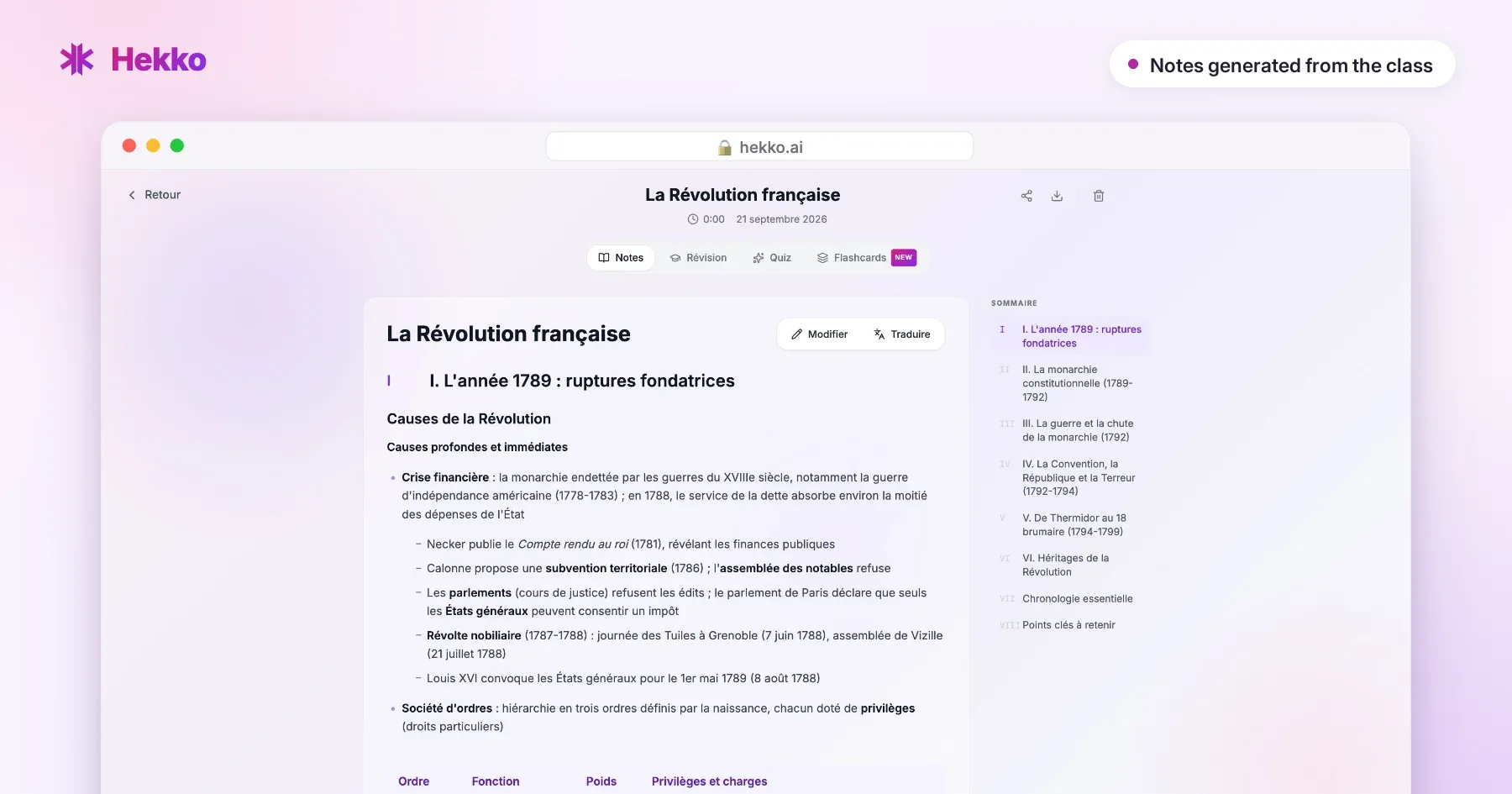
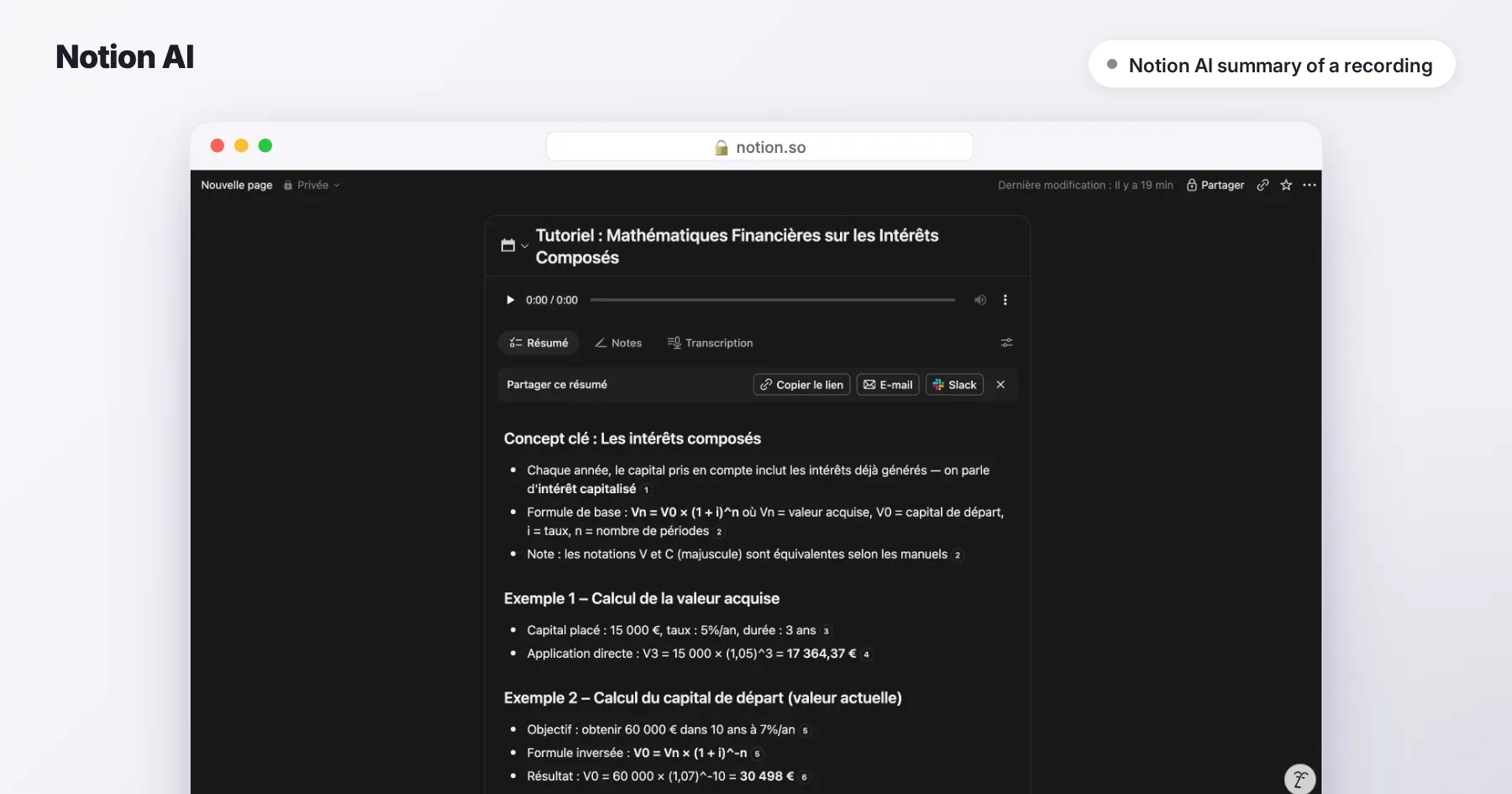
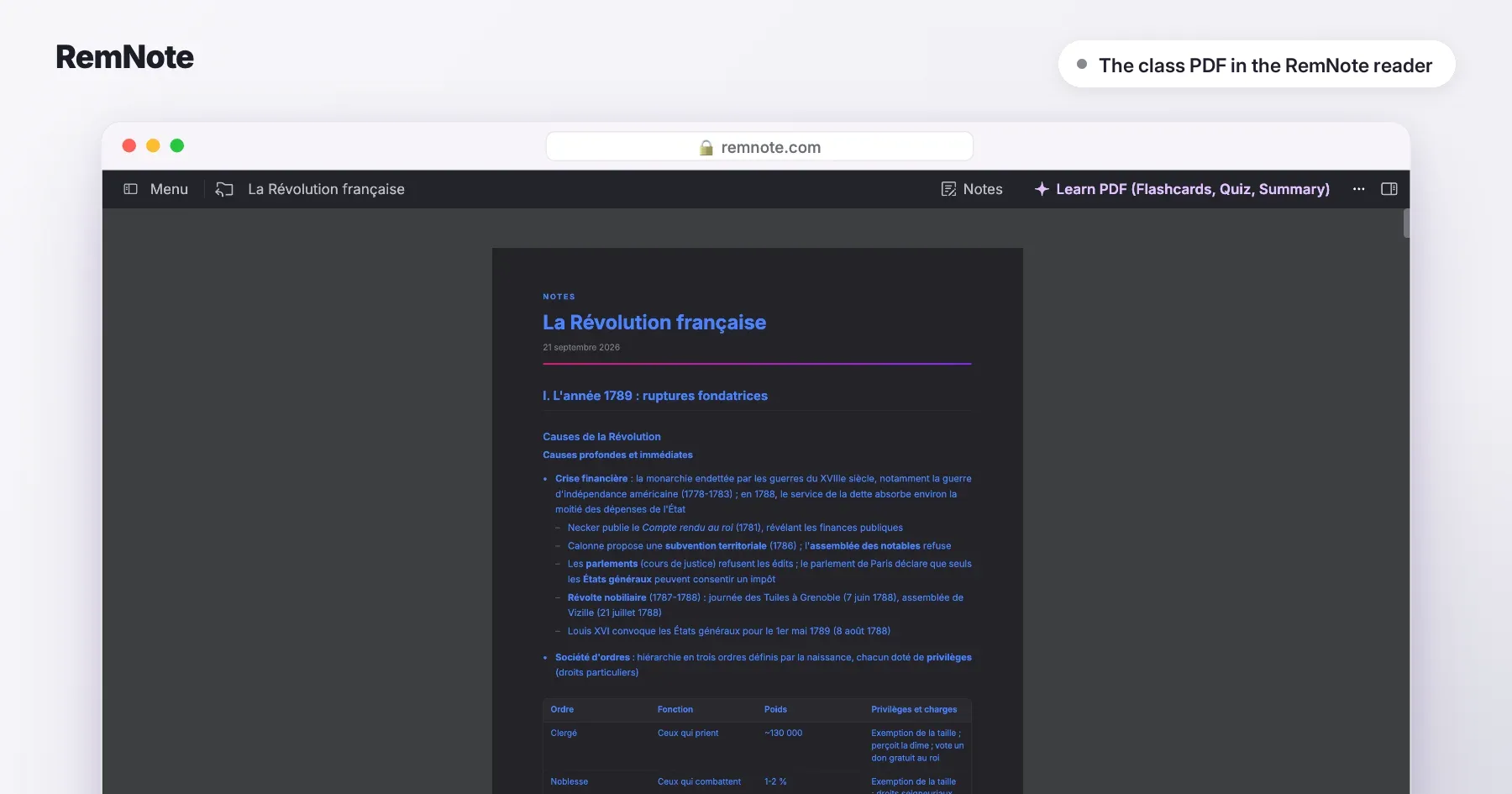
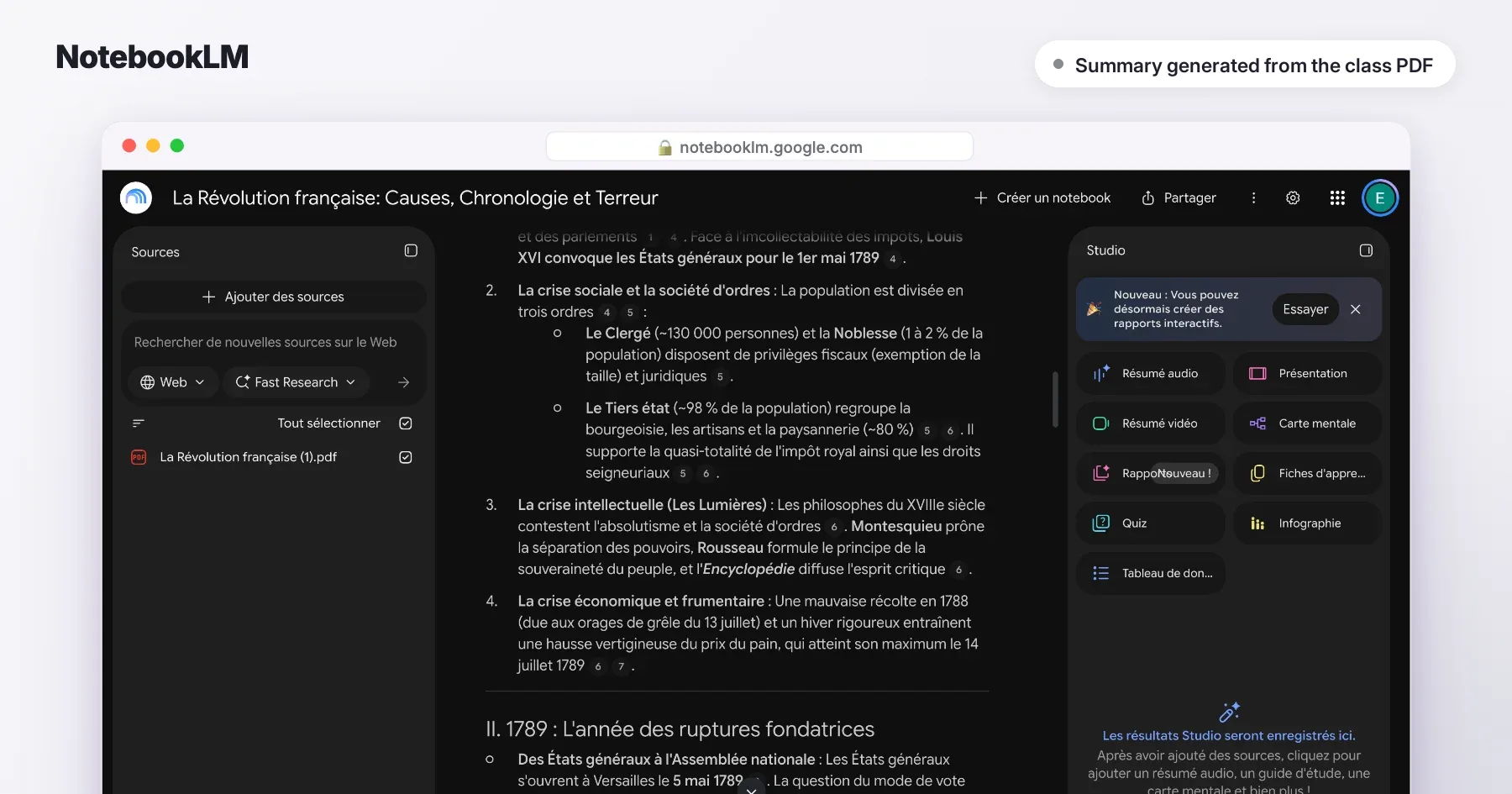
- How we compared: each tool's public features and official pricing page, checked on 21 September 2026. On 3 October 2026 we gave the same class, a French-language history lesson on the French Revolution, to Hekko, RemNote and NotebookLM: their screenshots come from that test, untouched. Notion, which starts from a recording, was tested on a different class, in financial mathematics. For the other tools, the visuals come from their official App Store listing and are labelled as such.
- Spotted a mistake? If a price or a feature has changed, write to us and the article gets updated.
TL;DR
The honest answer for 2026: there's no single best app, only the best app for the way you take notes. Typing on a keyboard: OneNote or Notion, free for students. Writing by hand: Goodnotes or Notability. Not writing anything during class and revising from complete notes: Hekko.
- Best for no longer copying down the lecture: Hekko
- Best free app for typing notes: Microsoft OneNote
- Best for organizing everything: Notion
- Best for writing with a stylus: Goodnotes
- Best for audio synced to your handwriting: Notability
- Best for memorizing while you take notes: RemNote
- Best for readings and PDFs: NotebookLM
Comparison table
| App | Best for | Free tier | Paid from | Standout | Main limitation |
|---|---|---|---|---|---|
| Hekko | Following the lecture without writing, then revising from it | 2 full courses a month, unlimited quizzes and flashcards | $7.99/month billed yearly ($95.88), or $13.99/month | The lecture becomes notes, a cheat sheet, quizzes and flashcards | Free plan capped at 2 courses a month |
| OneNote | Typing notes, for free | Free, on every device | Copilot with Microsoft 365 Personal ($9.99/month) | Free, everywhere, often provided by your school | Doesn't help you revise |
| Notion | Organizing classes, calendar and projects | Plus plan free for students | Full AI on the Business plan ($19.50/month) | Everything in one place, highly customizable | AI is only a trial on free plans |
| Goodnotes | Writing with a stylus | 3 notebooks, 20 minutes of audio recording | Essential $11.99/year; Pro $35.99/year | The reference for handwritten notes | Full AI is an add-on at $9.99/month |
| Notability | Handwriting while recording the professor | 5 notes | Lite $14.99/year; recording on Plus, $19.99/year | Audio synced to your handwriting | The free tier is barely a trial |
| RemNote | Taking notes and memorizing at the same time | Unlimited notes and flashcards | Pro $8/month billed yearly; Pro with AI $18/month | Flashcards written inside your notes | Steep learning curve |
| NotebookLM | Working from PDFs and readings | 100 notebooks, 50 sources each | Higher limits with Google AI plans | Answers cited from your own documents | Doesn't record live lectures |
Prices checked on each tool's own pricing page on 21 September 2026, in US dollars, list prices before promotions. Prices change: check before you pay.
What makes a good note-taking app for students?
A good note-taking app for students saves you time twice: during the lecture, by capturing what matters without you losing the thread, and before the exam, by making it easy to revise. Most apps only do the first half: they store what you write, but don't help you remember it.
Research on lecture note-taking (notably by Kenneth Kiewra) shows that students often write down less than half of a lecture's important ideas. Writing fast so you don't miss anything also means listening less. Before you choose, ask yourself four questions:
- How you take notes: on a keyboard, with a stylus, or not at all (recording)?
- On which devices: laptop, iPad, Android phone?
- What you do next: reread, make cheat sheets, test yourself?
- Your budget: free for good, or a few dollars a month?
The 7 apps, one by one
1. Hekko: best for following the lecture without copying it down
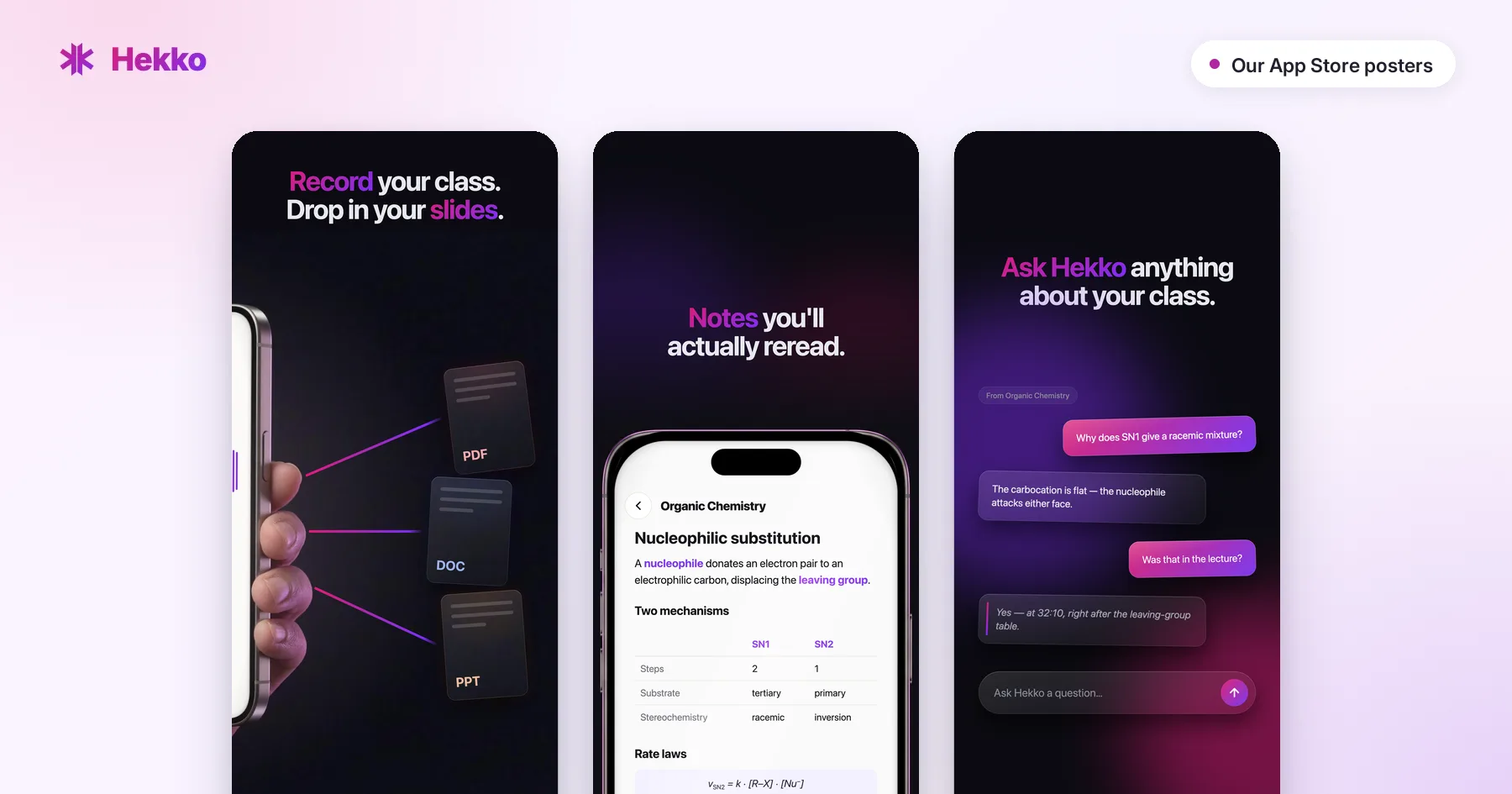
Hekko starts from a simple idea: you listen to the lecture, the app takes care of the notes. You start recording in the lecture hall or on a video call, and at the end you get structured notes, a one-page cheat sheet, quizzes and flashcards. You can add the professor's slides, PDFs or photos of the whiteboard to fill things in, or start from documents alone, with no audio. Notes stay editable, translate into 100+ languages and export to PDF. Web, iOS and Android. Everything starts from the notes taken during the class: the lecture note-taking page shows what they look like on a real excerpt.
Pros
- ✓ You listen instead of copying, and you don't miss anything
- ✓ Notes come with a cheat sheet, quizzes and flashcards, ready to revise
- ✓ Slides, PDFs and photos merged with the lecture audio
- ✓ Unlimited quizzes and flashcards on 2 full courses a month, free and no card required
Cons
- ✗ Free plan capped at 2 courses a month
- ✗ No Goodnotes-style stylus writing
- Free tier: 2 full courses a month, no credit card: notes and cheat sheet on each course, unlimited quizzes and flashcards.
- Price: $7.99/month billed yearly ($95.88), or $13.99/month.
- Verdict: the best pick if your classes are mostly spoken and you spend more time writing than understanding.
2. Microsoft OneNote: best free app for typing notes
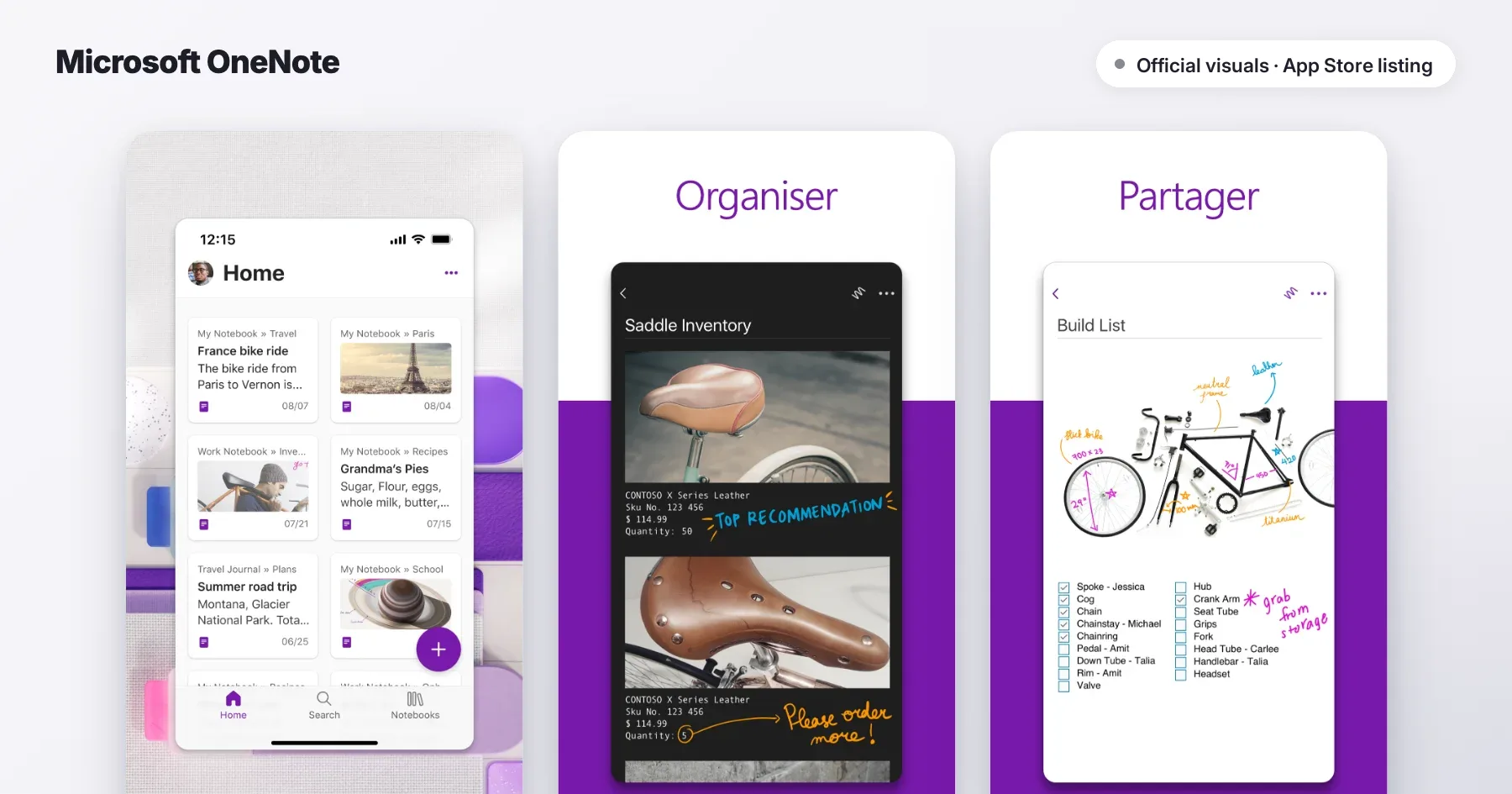
OneNote is Microsoft's digital notebook: sections, pages, text, images and drawings, synced across Windows, Mac, iOS, Android and the web. Many universities already provide it with Microsoft 365.
Pros
- ✓ Completely free, on every device
- ✓ Free-form pages: text, images and drawing in one place
Cons
- ✗ No study tools (no quizzes, no flashcards)
- ✗ AI (Copilot) requires a Microsoft 365 subscription
- Free tier: complete.
- Price: Copilot included in Microsoft 365 Personal, $9.99/month.
- Verdict: the default choice if you type fast and want something free.
3. Notion: best for organizing everything
Notion mixes notes, databases, calendar and to-do lists. Many students build their "second brain" there: one page per class, a table of midterms, an assignment tracker.
Pros
- ✓ Plus plan free for students with a school email address
- ✓ Extremely customizable
Cons
- ✗ Full AI (including meeting recording) requires the Business plan
- ✗ Easy to spend more time organizing than studying
- Free tier: Notion is free, and Plus is free for students; AI is only a trial there.
- Price: Business at $19.50/month for full AI.
- Verdict: perfect for organizing your semester, less so for learning what's in it.
4. Goodnotes: best for writing with a stylus
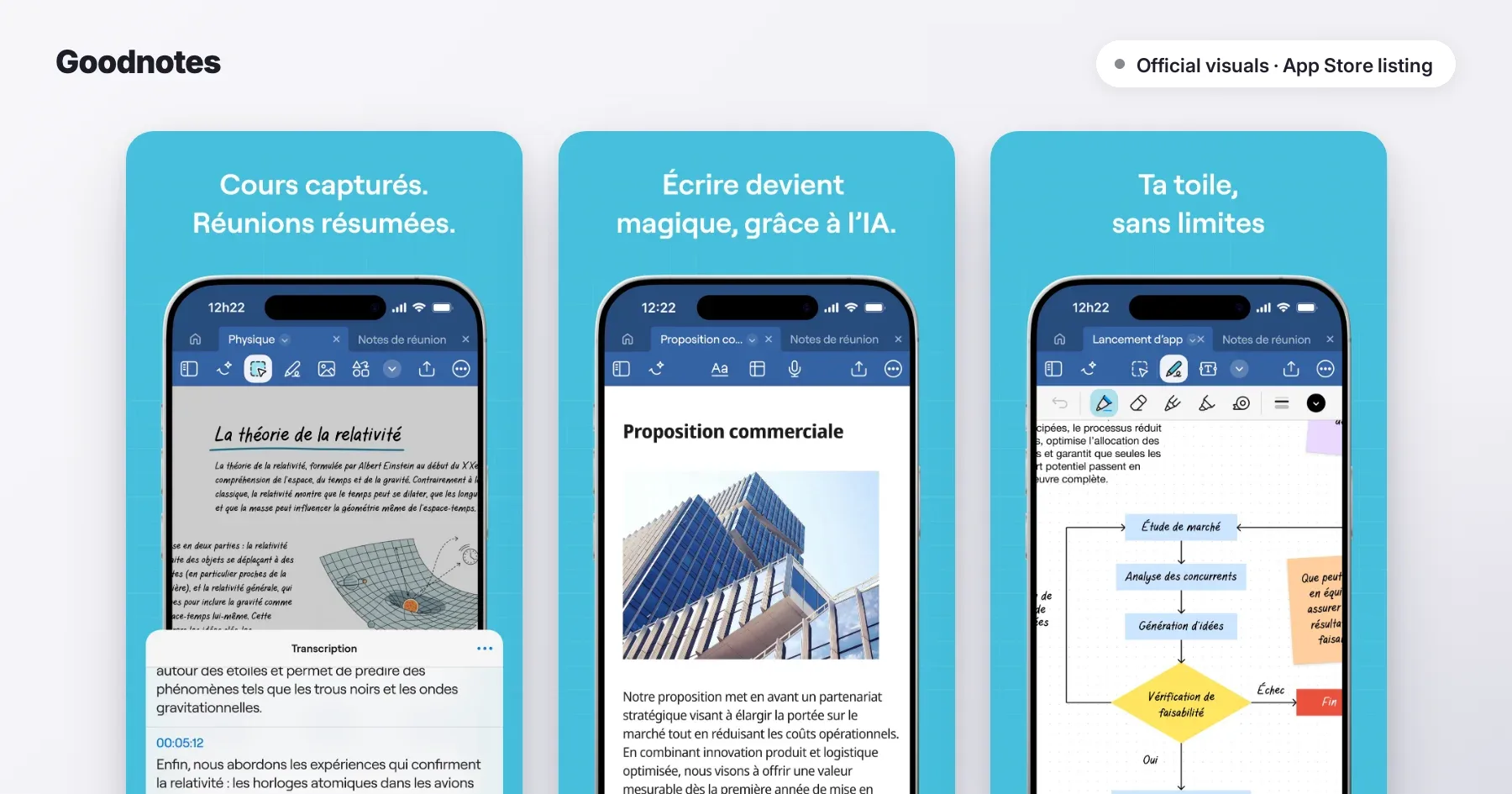
Goodnotes is the reference for handwritten notes on iPad, now also on Mac, Windows, Android and the web. PDF annotation, notebooks, and audio recording.
Pros
- ✓ Excellent writing feel
- ✓ Very cheap ($11.99/year)
Cons
- ✗ Free tier: 3 notebooks and 20 minutes of audio
- ✗ Full AI costs an extra $9.99/month
- Free tier: 3 notebooks, 3 text documents, 20 minutes of recording.
- Price: Essential $11.99/year; Pro $35.99/year (sync across devices).
- Verdict: if you think with a stylus in hand, it's the best value for money.
5. Notability: best for audio synced to your handwriting
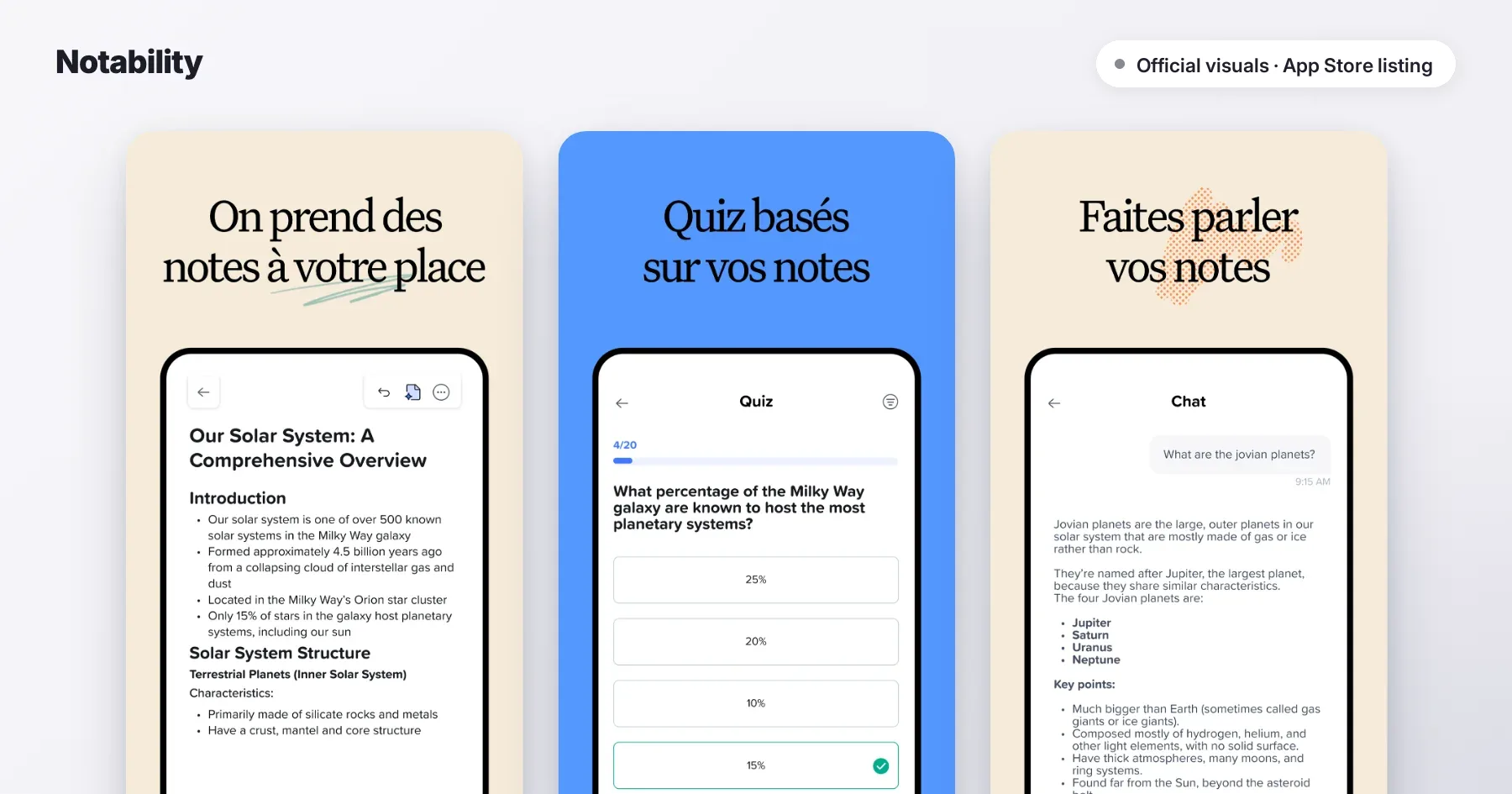
Notability records the professor while you write: tap a word in your notes and hear what was being said at that moment. Paid plans add AI-generated transcription, quizzes and flashcards.
Pros
- ✓ Audio synced to your handwriting
- ✓ AI quizzes and flashcards from the Plus plan up
Cons
- ✗ Free tier limited to 5 notes
- ✗ Recording and transcription only on the Plus plan
- Free tier: 5 notes.
- Price: Lite $14.99/year, Plus $19.99/year, Pro $99.99/year (often discounted at back-to-school).
- Verdict: ideal if you want to write by hand without losing what the professor says.
6. RemNote: best for memorizing while you take notes
RemNote turns your notes into flashcards as you write and has you review them with spaced repetition. Its most expensive plan adds a lecture recorder.
Pros
- ✓ Notes and spaced repetition in the same tool
- ✓ Generous free tier
Cons
- ✗ Takes a few days to get the hang of it
- ✗ Lecture recorder only on Pro with AI ($18/month)
- Free tier: unlimited notes and flashcards, 250 AI credits a month.
- Price: Pro $8/month billed yearly; Pro with AI $18/month billed yearly.
- Verdict: excellent for subjects you have to learn by heart, if you're willing to learn the system.
7. NotebookLM: best for readings and PDFs
NotebookLM, from Google (renamed Gemini Notebook), doesn't take notes during the lecture: you give it your PDFs, readings or an audio file, and it answers your questions by citing the exact passage. It also generates flashcards, quizzes and audio summaries.
Pros
- ✓ Very generous free tier
- ✓ Every answer cites your sources
Cons
- ✗ Doesn't record live lectures
- ✗ No reviews scheduled over time
- Free tier: 100 notebooks, 50 sources per notebook, 50 questions a day.
- Price: higher limits with Google AI plans.
- Verdict: the ideal companion when your subject is mostly written.
Is it better to take notes by hand or on a laptop?
By hand, you rephrase more; on a keyboard, you write more but often copy word for word. The frequently cited study by Mueller and Oppenheimer (2014) fueled the idea that the pen helps you remember better, but more recent replications find small differences. What really matters is what you do with your notes afterwards: testing yourself on them beats any note-taking method (see how to revise effectively).
Can you record a lecture instead of taking notes?
Yes, and it's often more effective: you listen and understand instead of copying. Hekko, Notability, Goodnotes and RemNote can record. The difference: Notability and Goodnotes attach the audio to your handwritten notes, RemNote keeps its recorder for its $18/month plan, and Hekko writes the notes from the recording, with a cheat sheet, quizzes and flashcards, starting on the free plan. Check your university's policy first and ask your professor. With Hekko, the audio is transcribed and then deleted; only the text is kept.
Which free note-taking app should you choose?
To type your notes for free with no limits, OneNote or Notion (Plus plan free for students). For readings, NotebookLM. To try lecture recording, Hekko gives you 2 full courses a month, with unlimited quizzes and flashcards. Goodnotes and Notability remain mostly paid for real use.
How do you choose the right one?
- You'd rather listen than write → Hekko
- You type your notes and want something free → OneNote
- You want to organize your whole semester → Notion
- You write with a stylus → Goodnotes, or Notability if you want synced audio
- You have a lot to memorize → RemNote
- You mostly work from PDFs → NotebookLM
Many students combine two: one app to take notes, another to revise. Next, see our comparison of the best study apps, and the one on the best AI note-taking apps if you want AI to take the notes for you.
How we built this comparison
Each app was compared on the four criteria above, from its public features and its own pricing page, checked on 21 September 2026. We don't earn any commission from the tools listed. If a price or a feature has changed, write to us and we'll update the article.